Media gallery, highlight cards, and location timeline
Your diary entry used to be text. Starting today, it also shows the media, highlights, and places that shaped your day.
Media gallery
deariary now collects images and videos from your connected services and displays them in a thumbnail grid below the diary text. Each thumbnail shows which integration it came from. Click any image to open it in a full-size lightbox with prev/next navigation.
Supported sources:
- Bluesky: embedded images from your posts
- Slack: file attachments shared in your selected channels (existing users should reconnect Slack from Settings > Integrations to enable file downloads)
- Discord: file attachments from your selected channels
- GitHub: images embedded in pull request descriptions
- Webhook: image and video URLs included in your payload (see API docs)

Highlight cards
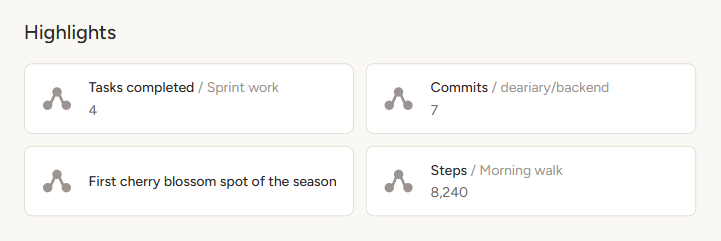
Highlights are structured summaries of your activity, displayed as cards below the media gallery. Each card shows an integration icon, a title, and a value.
What appears depends on which services you have connected:
- GitHub: PRs opened and merged, issues opened and closed, broken down by repository
- Todoist: completed tasks, grouped by project
- Toggl Track: tracked time, grouped by project
- Steam: playtime and achievements unlocked, shown on a single card per game
- Bluesky: post count and likes received
- Webhook: any highlights included in your payload (see API docs)
Highlight cards are localized in all 42 supported languages.
Location timeline
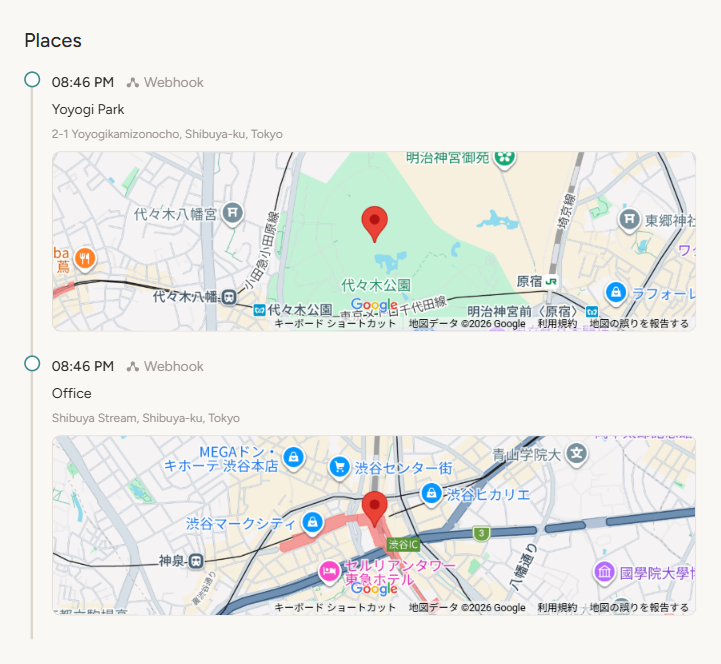
If your data includes location information, a chronological timeline appears with each place you visited during the day. Each location entry shows the place name, address, and an embedded map.
Location data currently comes from webhook payloads that include coordinates (see API docs). Future integrations (such as Swarm) will add location support natively.
Availability
Media, highlights, and locations appear automatically on your diary entry pages. No configuration needed. If your connected services produce media or highlight data, it shows up the next morning alongside your diary text.
These features are available on all plans.
