Timeline view, month calendar, and maps for your places
This update adds two new ways to look back on your days: a timeline of each day, and a calendar of each month. The places you visited now appear on a map as well.
Timeline view
A diary entry is written as a story. Sometimes you want the same day laid out by the clock instead: what happened in the morning, where you had lunch, when you got home.
Entries now have Story and Timeline tabs under the header. The Timeline view shows:
- The number of moments, places, and photos in the day
- Each moment in time order, with its time, a short title, and the services it came from
- The photos and the place attached to a moment
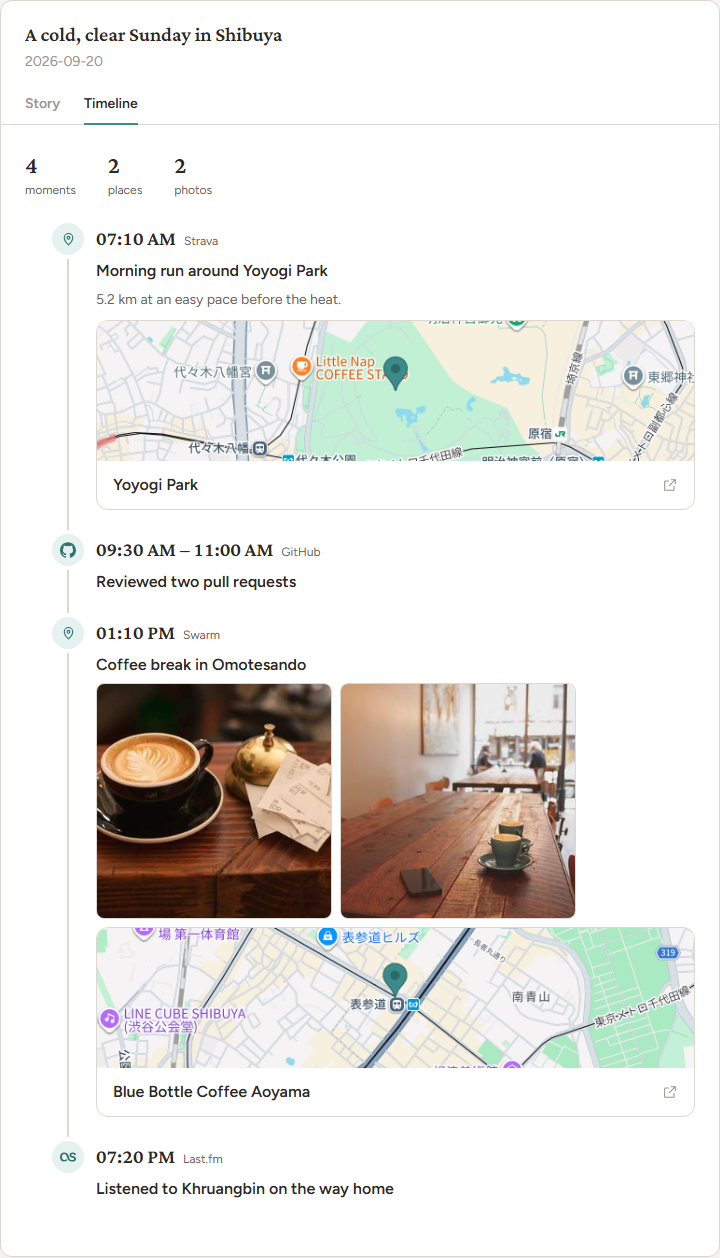
Timelines are created when an entry is written, so entries from before this update show the story only, without the tabs.
Month calendar
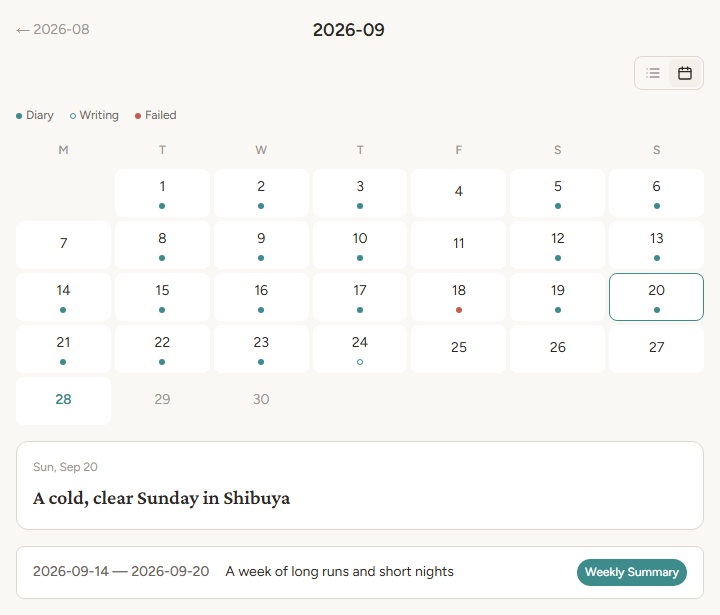
The month page can now be shown as a calendar. Use the list and calendar icons under the month name to switch between the two views. deariary remembers the view you picked.
The calendar marks each day with its status:
- Diary: the entry is ready
- Writing: the entry is being generated
- Failed: generation failed and will be retried
Select a day to see a preview with its title, and select the preview to open the entry. The month’s weekly and monthly summaries are listed below the calendar.
Places on a map
Places have a new look in both views.
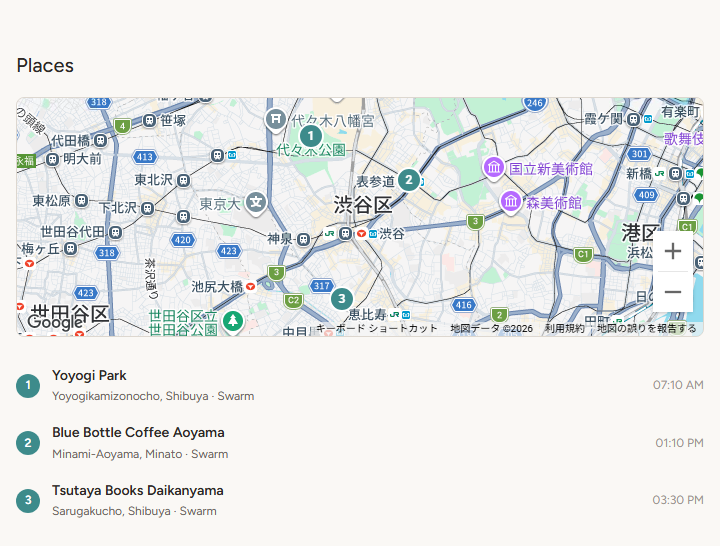
In the Story view, all of the day’s places are shown on one map, with pins numbered in the order you visited them. Below the map, each place has one row with the same number, its name, where it came from, and the time. Select a row to open the place’s own page, such as its Swarm check-in, or Google Maps when there is none. Select a pin to highlight its row. When a day has only one place, you see a single map of it.
In the Timeline view, each place shows a small map of where it is, as in the timeline screenshot above. Select it to open the place in Google Maps.
Smaller changes
- If you open a link to a page in the app while signed out, deariary now takes you back to that page after you sign in.
