Add to today from the web, and covers for your entries
Until now, every diary was written only from the services you connect. With this update, you can add to it yourself: a note, a mood, a few photos, or a link, right from the web. This update also gives each entry a cover, so a month of diaries is easier to scan, and lets photos carry a caption.
Add to today
Some things never reach a connected service: a thought on the walk home, how the day felt, an article that stayed with you. Now you can add them by hand.
A + button sits in the corner of every page in the app. Select it to open Add to today and pick what to add:
- Note: a line for today’s diary
- Mood: pick a face from Great to Rough, and optionally write what stirred the feeling
- Photos: choose photos from today and give each one a caption
- Link: something you read or watched, with what moved you about it
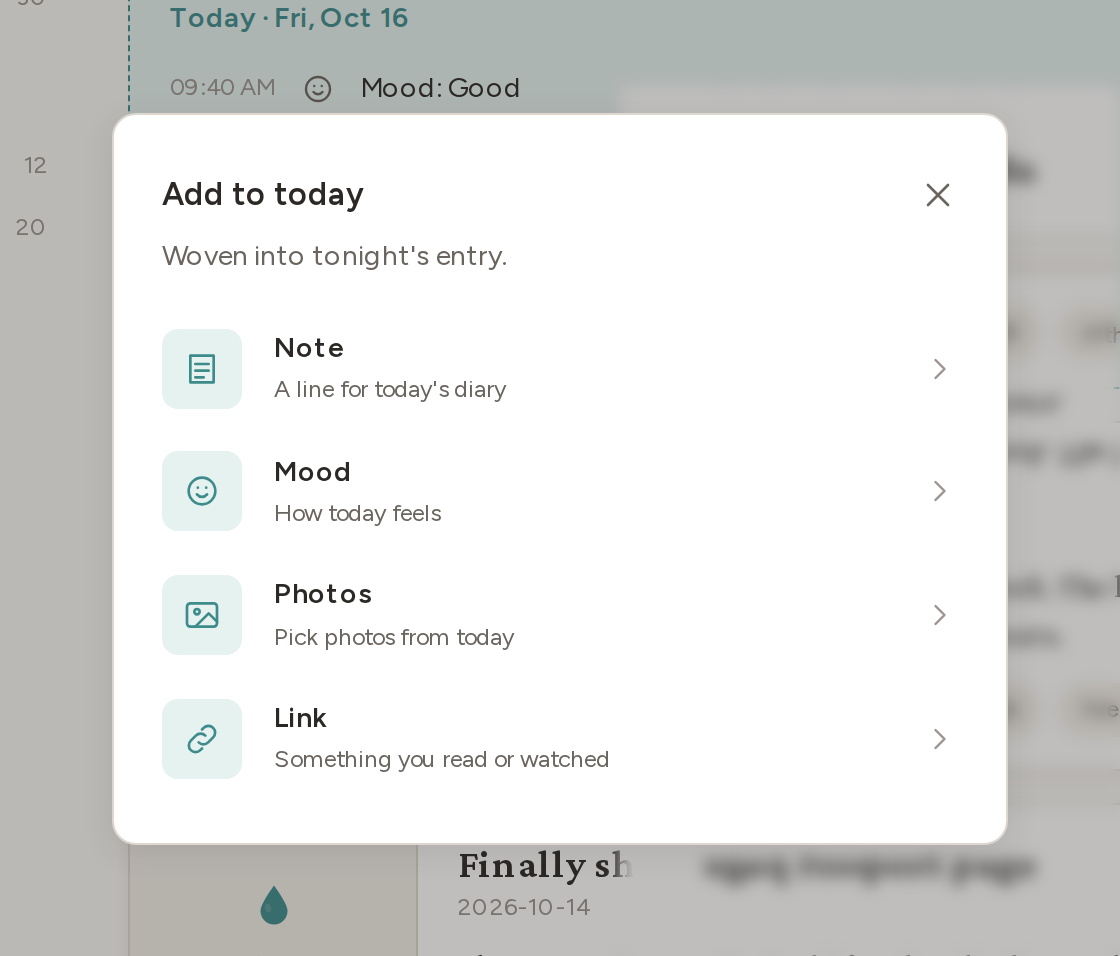
What you add is woven into that night’s entry, together with the data from your integrations. Photos can be JPEG, PNG, or WebP files up to 20 MB each.
The Today card
The Today card on the Diary page shows what you have added for today so far, in time order, along with the time the diary will be written.
In the list view, the card sits at the top, above your entries:
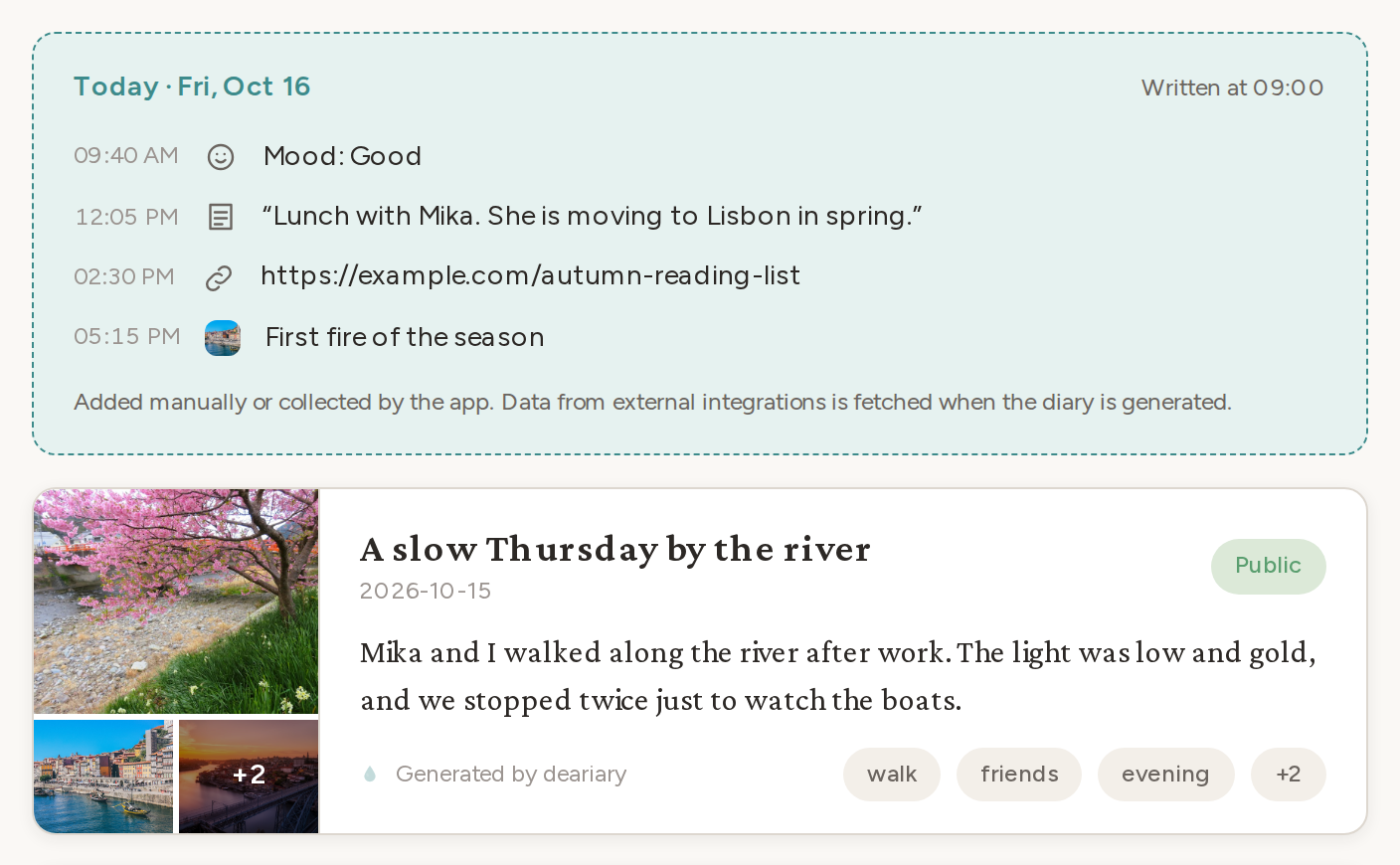
It also appears in the calendar view. Until today’s diary is written, that view opens on today and shows the card in place of an entry:
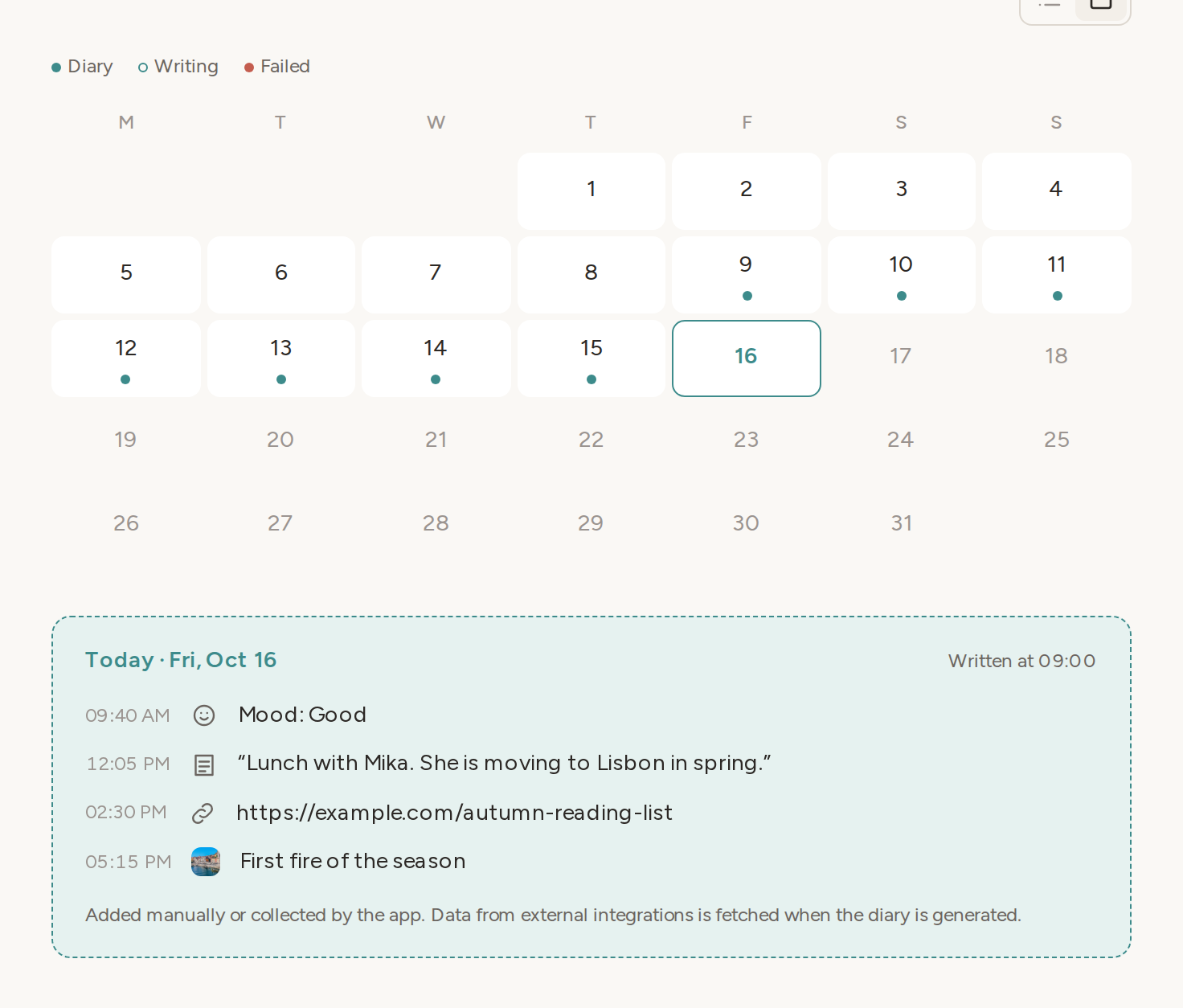
Open the card to review a day’s additions and delete any of them. Deleted additions are left out of the next diary.
Covers for your entries
Each entry in the list now has a cover beside it:
- Days with photos show a collage of up to three photos, with a count when there are more
- Days without photos show a dated cover with the ink drop, the day, and the month and weekday
The cards are also more compact. The excerpt is two lines long, and up to three tags are shown, with a count for the rest.
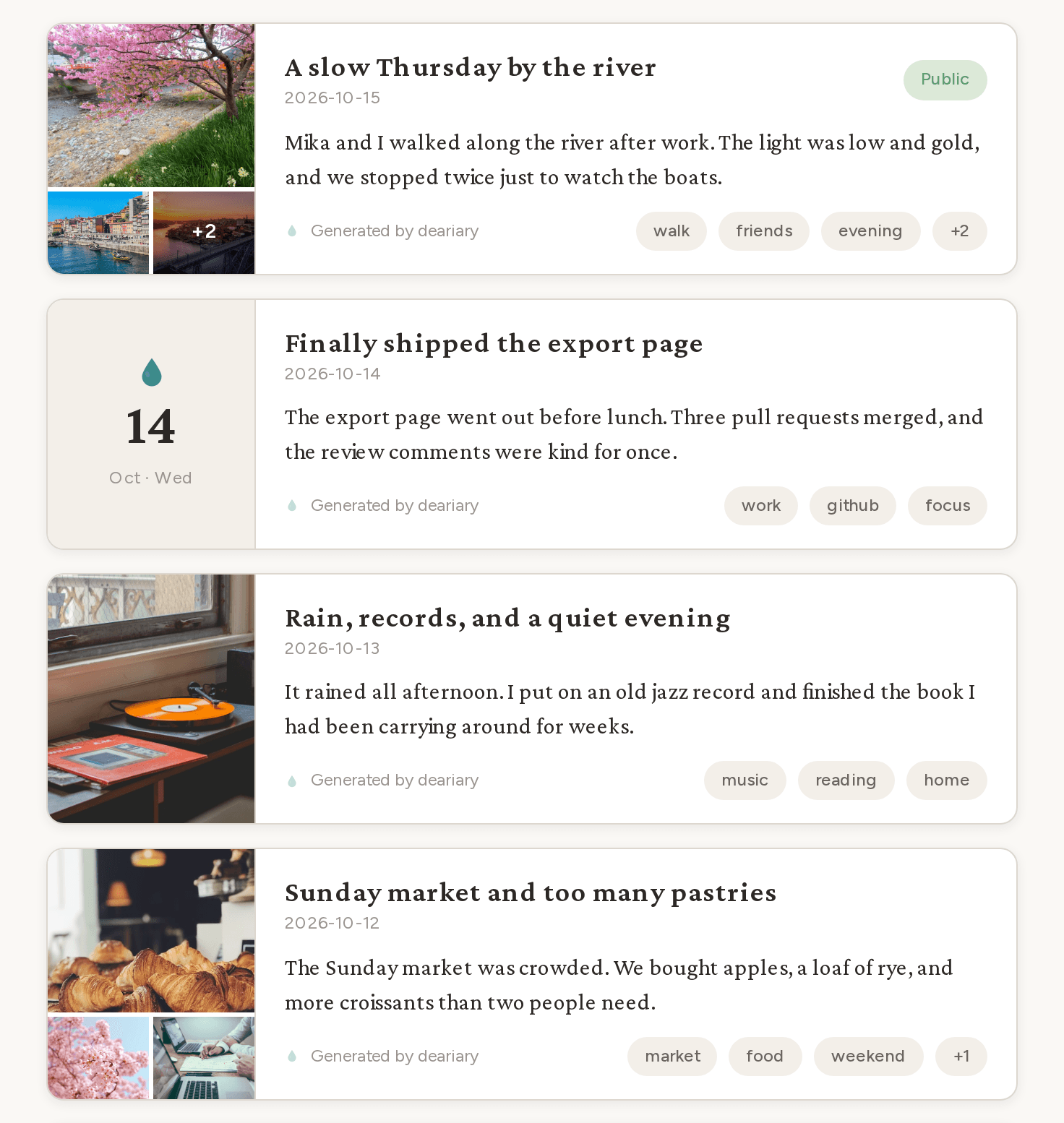
The same cover appears as a banner at the top of the entry page. Open a photo in the cover to see it full size and page through the rest of the day’s photos.
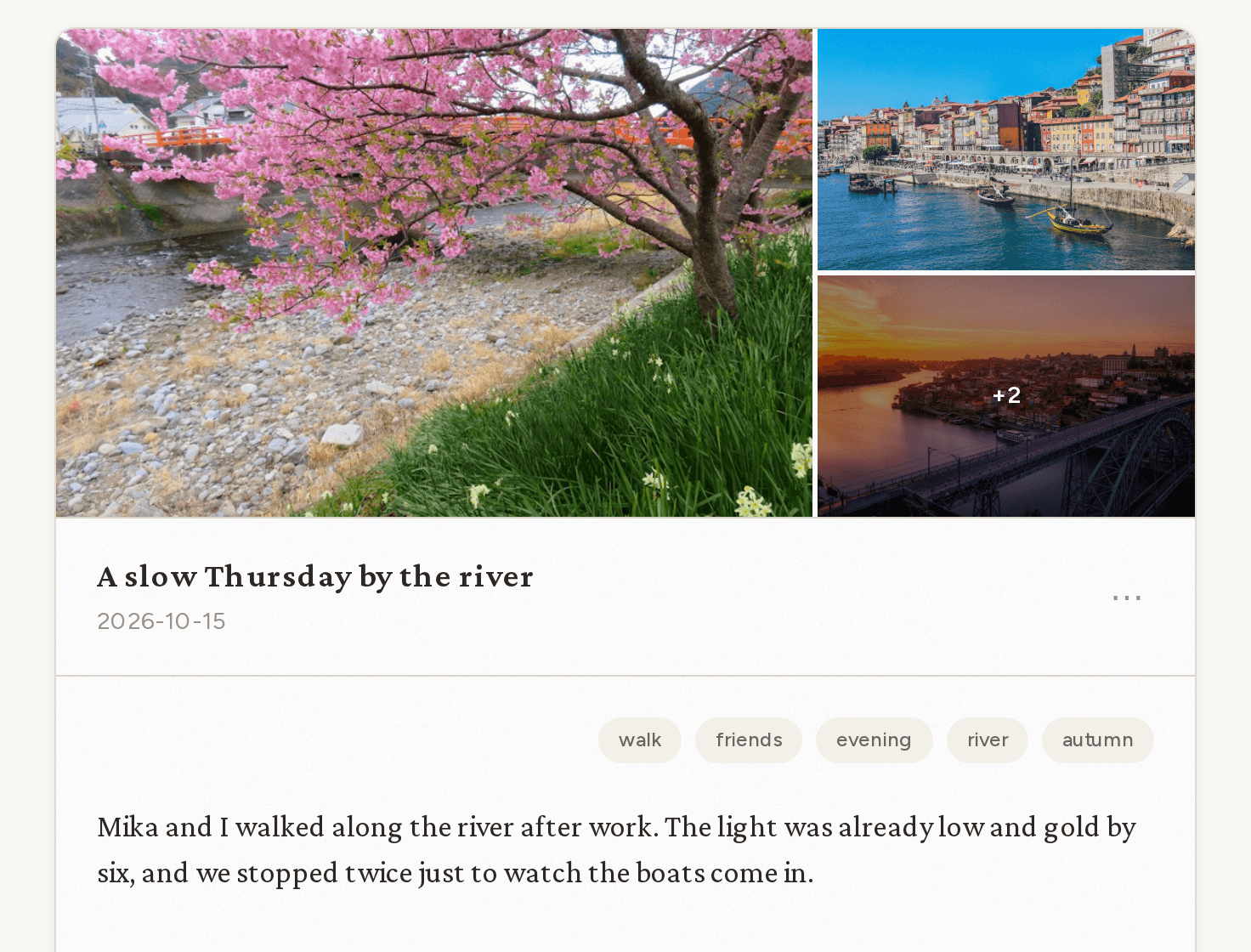
Photo captions
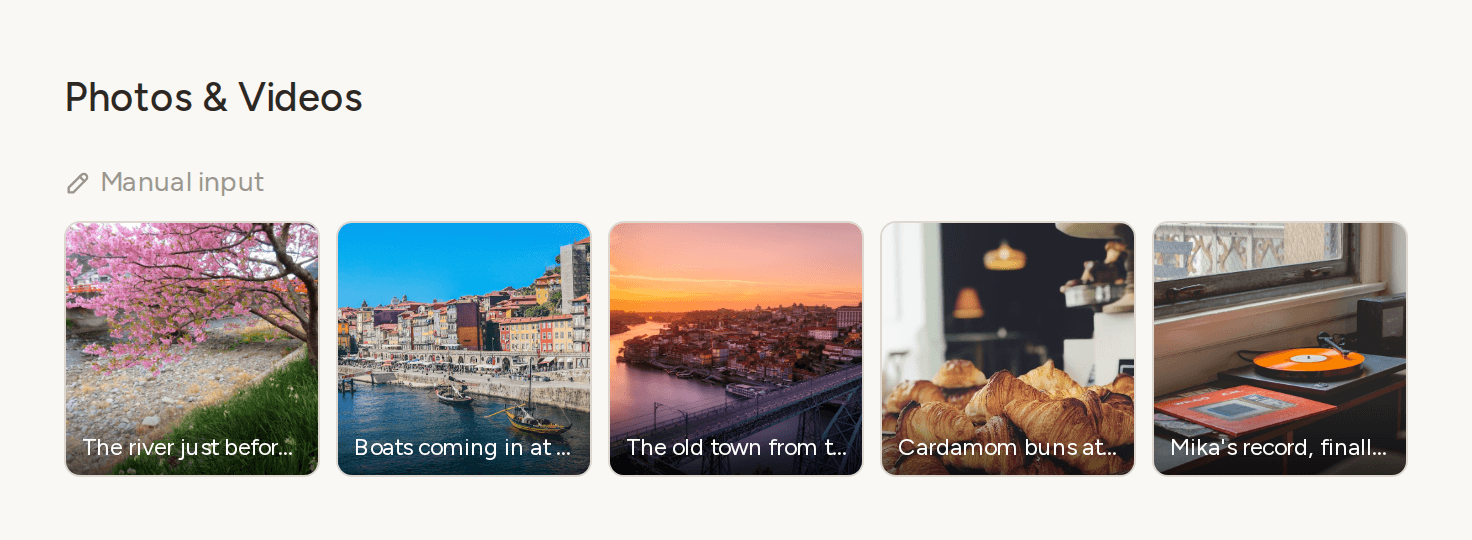
Photos you add with a caption show it in the entry. The caption appears at the bottom of each photo in the gallery and the timeline, and in full below the photo when you open it. Shared entries show captions too.
Smaller changes
- Highlight values such as durations and play counts are now shown in your language and number format, for example “7 h 5 min” or “12 plays”.
- The Today card, the calendar, and empty pages have a little quiet motion: new rows ease in, written days lift slightly when you point at them, and the grid slides as you move between months. If your device is set to reduce motion, all of it is turned off.
